CTR.bot vs CTRTool: Which CTR Tool Fits Your Campaign Setup?
You are comparing two CTR tools and need a clear answer, not a feature dump. The wrong pick costs you wasted campaign spend and visits you cannot verify, especially when search, Maps and AI Overviews each demand different setup controls. This comparison breaks down campaign coverage, screenshot proof, targeting options and pricing so the choice stops being guesswork.
By the end, you will know which tool matches your campaign type and control needs, how CTRTool's per-visit screenshot verification and Desktop or Mobile CTR selection compare with CTR.bot, and which option fits your budget and workflow. You will finish with a direct verdict, not a hedge.
Quick Verdict: CTR.bot vs CTRTool
CTRTool is a CTR campaign tool with screenshot proof for every visit across Google Search, Bing Search, Maps and AI Overviews, while CTR.bot is a separate click-through rate tool whose exact feature set and pricing should be verified on its own site. That distinction frames the whole comparison. One product documents what happened on each visit. The other is described in general terms as a CTR tool, so its specifics need checking before you commit.
For practitioners who need per-visit proof and coverage across multiple search surfaces, CTRTool is the stronger fit. Search and landing screenshots arrive as separate proof images, and full visit paths show how a session unfolded. Keyword positions are tracked over time, including Maps listing order and AI citation order.
The pay-for-results credit model adds another layer of confidence. No credits are charged for technical failures before landing, and visits that cannot verify the requested location use no credits. One credit balance is shared across all campaign types, websites and keywords, and unused credits roll over while you stay subscribed.
CTR.bot may suit users who prefer its specific workflow, but that judgment should follow a check of its current details rather than an assumption. There is no universal winner here. The right pick depends on whether per-visit evidence and multi-surface reach matter more to your campaign setup than familiarity with a particular interface.
| Consideration | CTRTool | CTR.bot |
|---|---|---|
| Visit proof | Screenshot proof for every visit, with search and landing screenshots as separate proof images | Described only in general terms as a CTR tool |
| Surface coverage | Google Search, Bing Search, Maps and AI Overviews | Verify current coverage on its own site |
| Position tracking | Keyword positions tracked over time, including Maps listing order and AI citation order | Not confirmed in available information |
| Billing approach | Pay-for-results credits, no charge for technical failures before landing | Pricing should be verified directly |
| Scale | Up to 100 campaigns with 100 keywords each | Confirm limits before planning |
Read the table as a starting point, not a final scorecard. The sections that follow break down each row so you can match the tool to your campaign setup rather than to a headline claim.
At a glance: how CTRTool compares to CTR.bot on the features that matter most.
| Feature | CTRTool | CTR.bot |
|---|---|---|
| Pricing | $59-$699/mo | — |
| Free plan / trial | ✗ | — |
| Supported platforms | Google, Bing, Maps, AI | — |
| Screenshot / visit proof | ✓ | — |
| Location targeting | Country/state/city | — |
| Keyword tracking | ✓ | — |
| Pay-per-result credits | ✓ | — |
| Documented integrations | — | — |
What Is CTRTool?
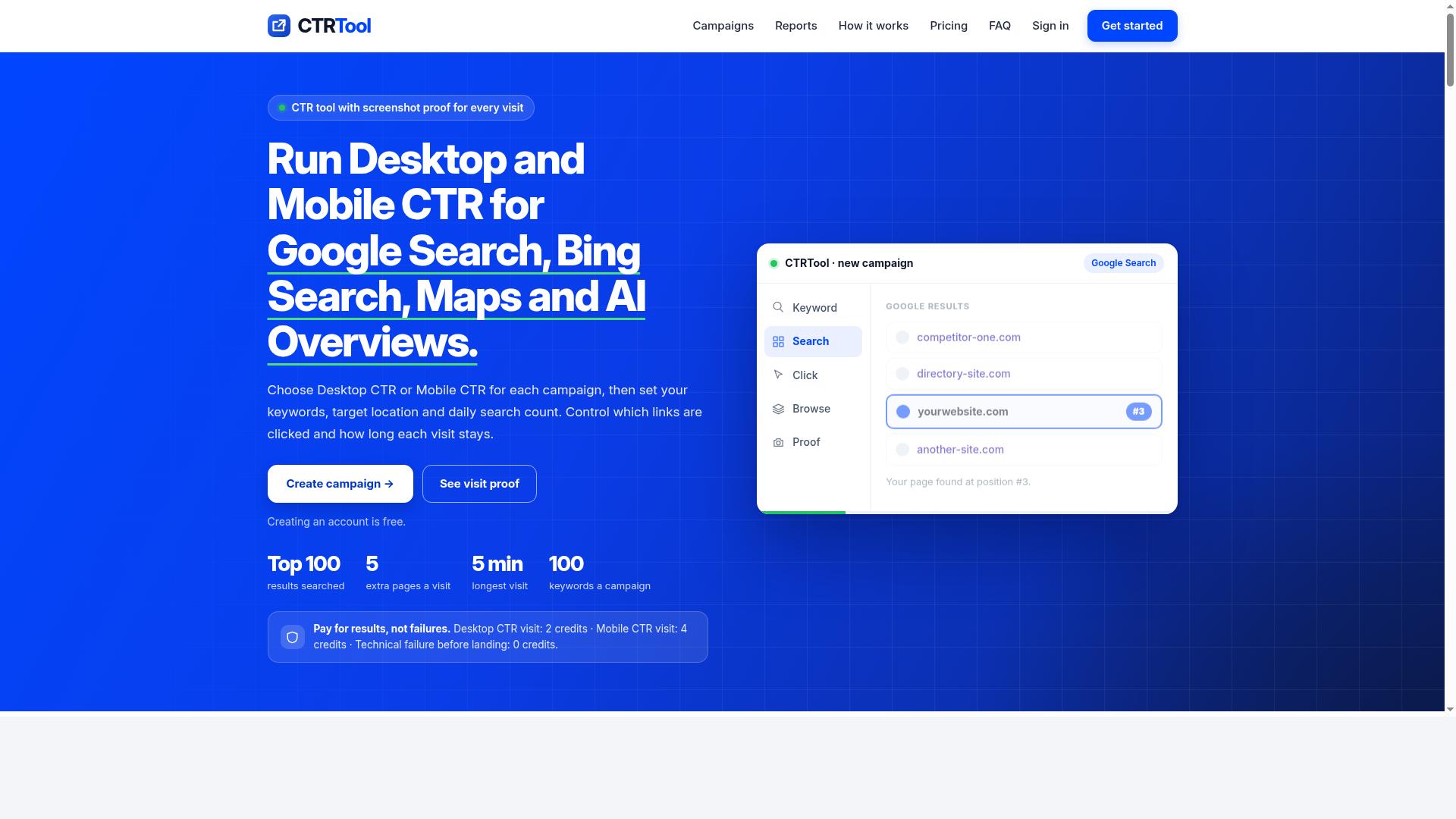
CTRTool is a SaaS CTR campaign tool that runs Desktop and Mobile CTR campaigns for Google Search, Bing Search, Maps and AI Overviews, with screenshot proof for every visit. It is built for advertisers who want to shape how a listing performs in search results rather than only measure it after the fact.
Each campaign starts with a simple choice: Desktop CTR or Mobile CTR. That setting matters because click-through rate varies sharply between devices, and a campaign tuned for one may not reflect how real users behave on the other. Users then set keywords, target location and a daily search count.
Beyond the basics, the tool gives control over which links are clicked and how long each visit stays. Those two levers separate a shallow visit from a session that looks like genuine interest, which is what most campaign setups are trying to simulate.
Proof is a core part of the product. Every visit produces search and landing screenshots as separate proof images, so you can review what actually happened instead of trusting a summary. For teams running multiple campaigns, that evidence trail makes reporting and internal sign-off far easier.
CTRTool is a global online service. You target a chosen country with optional state and city, or select Any country for a mix of supported locations. The official name is written as CTRTool, and the site copyright reads © 2026 CTRTool.
The brand is also candid about limits. The site states plainly that automated visits do not guarantee rankings. That honesty is worth noting in a category where many tools imply otherwise. CTRTool is best understood as a campaign control and proof layer, not a ranking promise.
- Platforms covered: Google Search, Bing Search, Maps and AI Overviews
- Device modes: Desktop CTR or Mobile CTR per campaign
- Campaign inputs: keywords, location, daily search count
- Visit controls: which links are clicked, visit duration
- Proof: separate search and landing screenshots per visit
- Targeting: country with optional state and city, or Any country
For readers weighing CTR.bot against CTRTool, this is the baseline to compare against. CTRTool's position rests on device-level campaign choice, explicit visit controls and screenshot evidence for every visit.
What Is CTR.bot?
CTR.bot is a separate click-through rate tool that readers may encounter when comparing CTR campaign software, and its exact features, pricing and limits should be confirmed on the vendor's own site before purchase.
In broad terms, it belongs to the same category of software as CTRTool: tools built to help advertisers and affiliates influence or improve the click-through rate of a campaign. That category sits alongside the wider world of paid advertising, where CTR often shapes quality scores, CPC, and ultimately the cost of each click.
This article does not assert specific CTR.bot specs. Anything you read elsewhere about its plan tiers, supported search engines, or how it handles traffic should be treated as unverified until you check the source directly.
What matters for a buyer is the shape of the offer, not the marketing copy. When evaluating any CTR tool, including CTR.bot, confirm a few basics on the vendor's own pages:
- What the tool actually does during a campaign, in plain language
- Which traffic sources and search engines it claims to work with
- How pricing is structured and what the limits are at each level
- Whether the vendor explains its methods or leaves them vague
Those answers let you judge whether a tool fits your campaign setup rather than a generic feature list. A tool that suits one advertiser's workflow may be a poor match for another's traffic source or budget.
It also helps to separate CTR tools from adjacent categories. Traffic filtering and click fraud protection address invalid clicks and bot traffic, while CTR tools focus on the click-through rate itself. Some products blend both, but you should not assume it without confirmation.
Keep CTR.bot in mind as one option in the field. The next sections look at how the two tools differ in practice, and where each one tends to fit.
Features Compared
This comparison focuses on three practical areas that determine whether a CTR tool fits an SEO workflow: campaign coverage, per-visit proof, and targeting controls.
Each area is assessed against CTRTool's documented capabilities, which serve as the concrete benchmark throughout. CTR.bot is described only in general terms, because its specific specifications are not asserted here.
Readers evaluating CTR.bot should treat its entries as starting points for their own verification rather than confirmed details. The three sections below set out what each area involves and what to confirm before committing to a plan.
Campaign Coverage: Search, Maps and AI Overviews
CTRTool documents four campaign surfaces: Google Search CTR, Bing Search CTR, Google Maps CTR and AI Overview campaigns. Each one maps to a distinct way visitors find a page or listing.
Google Search CTR clicks an organic result for a chosen keyword and can target internal pages within the top 100 results. Bing Search CTR does the same for Bing, so coverage is not limited to a single engine.
Google Maps CTR finds a business listing and checks up to 50 listings, roughly five pages, which matters for local campaigns competing in dense markets. AI Overview campaigns require a matching source link before they will run.
For CTR.bot, its coverage should be verified on its site. Confirm which engines, map surfaces and AI results it supports before assuming parity.
The practical note is simple: match the tool's documented surfaces to the search engines and map listings you actually need to influence. A campaign aimed at local map visibility needs a different surface than one targeting informational search queries.
Proof and Transparency: Screenshot Verification Per Visit
CTRTool's core differentiator is screenshot proof for every visit, delivered as separate search and landing proof images with full visit paths. The search screenshot shows the result being clicked. The landing screenshot shows the page that loaded.
Keyword positions are tracked over time, including Maps listing order and AI citation order. That gives a record of movement rather than a single snapshot.
This transparency helps SEO practitioners and agencies document work for clients. A proof record is easier to present in a report than a dashboard number alone, and it supports conversations about what a campaign actually produced.
For CTR.bot, any proof or reporting features should be confirmed with the vendor. Do not assume screenshot-level verification exists without seeing it.
A useful buyer tip: ask any CTR tool to show a sample proof record before committing to a monthly plan. What you see in that sample tells you more than a feature list.
Targeting and Visit Controls
CTRTool lets users choose Desktop CTR or Mobile CTR per campaign and target a country with an optional state and city, or 'Any country' for a mix of supported locations. Device choice and geography are set at the campaign level, so different campaigns can run different configurations.
One prerequisite applies: the page must appear within the top 100 organic results for the chosen keyword and location. Confirm rankings before launch to avoid wasted setup time.
Credit consumption differs by device, with Desktop and Mobile treated separately. That is a planning consideration when you estimate how far a credit balance will stretch across a campaign mix. Pricing figures are covered in the Pricing Compared section.
For CTR.bot, its targeting controls should be verified on its site. Check which device modes, country settings and sub-country options it exposes before comparing setups.
For most campaign setups, the deciding factor is whether targeting granularity matches the markets you serve. CTRTool's documented country, state and city options give that decision a clear reference point.
Pricing Compared
CTRTool publishes monthly USD plans: Starter at $59 per month for 2,000 credits (up to 1,000 Desktop CTR visits or 500 Mobile CTR visits) and Growth at $125 per month for 5,000 credits (up to 2,500 Desktop or 1,250 Mobile CTR visits). The Growth tier is marked Recommended on the site. Two larger tiers are also listed for higher volume campaigns.
| Plan | Price per Month | Credits | Desktop CTR Visits | Mobile CTR Visits |
|---|---|---|---|---|
| Starter | $59 | 2,000 | Up to 1,000 | Up to 500 |
| Growth (Recommended) | $125 | 5,000 | Up to 2,500 | Up to 1,250 |
| Scale | $399 | 20,000 | Up to 10,000 | Up to 5,000 |
| Agency | $699 | 40,000 | Up to 20,000 | Up to 10,000 |
The key detail is that credits convert differently by device. A Desktop CTR visit costs 2 credits, while a Mobile CTR visit costs 4. A verified search without a match costs 1 credit, and a technical failure before landing costs 0 credits.
CTRTool also notes that unused credits roll over while a subscription is active and expire when cancellation takes effect. Creating an account is free, and custom development carries a separate, agreed one-time fee. The site displays a limited launch notice that prices rise 30% on November 15.
CTR.bot pricing is not published in the verified details available here, so it should be checked on its own site at the time of purchase. Plan names, credit limits, and device rules can change, and comparing them against a stale figure would distort your campaign setup math.
A practical cost-planning tip: estimate monthly Desktop and Mobile visit needs first, then map them to credits so the plan matches actual campaign volume. If your ad campaign leans mobile, budget double the credits per visit and size the tier accordingly before you commit.
Who Should Choose CTRTool
CTRTool fits SEO practitioners and agencies running CTR campaigns for their own or client websites across Google Search, Bing Search, Google Maps and AI Overviews. The tool is built for people who treat click-through rate as a managed signal, not a side effect of good copywriting. If that describes the way you work, the fit signals below should feel familiar.
Use this list as a quick self-check before you commit to a campaign setup. Each point maps to a real workflow need rather than a generic feature count.
- You need per-visit screenshot proof. Agencies that must document work for clients benefit from evidence tied to individual visits, which makes reporting and handover far simpler than describing activity in the abstract.
- You run campaigns across multiple surfaces. Coverage of Google Search, Bing Search, Google Maps and AI Overviews means one workflow can serve several placements instead of forcing you into separate tools per surface.
- You want Desktop or Mobile CTR control per campaign. Device-level control matters when a client's audience splits sharply between phones and desktops, and it keeps your campaign optimization aligned with where impressions actually land.
- You need country, state and city targeting. Local SEO teams and regional advertisers can narrow activity to the geographies that match the client's service area, which supports cleaner reporting on traffic quality.
The site's own guidance also references using tier links, PBNs and test properties. That context tells you who the tool is written for: practitioners comfortable with link infrastructure and testing setups, not beginners looking for a one-click solution.
Consider a practical example. An agency running a local service brand across Maps and organic search needs city-level targeting, device splits, and proof of delivery for the client. CTRTool covers that combination in a single campaign setup, while a narrower CTR tool may cover only one piece of the picture.
If your work leans toward paid advertising and budget protection, this is not the primary use case. CTRTool is aimed at organic and search-surface click-through rate work, so teams focused on click fraud, bot traffic and invalid clicks should weigh that difference carefully before choosing.
The takeaway is straightforward. Agencies and SEO practitioners who need documented proof, multi-surface reach, device control and geographic targeting will find CTRTool's intended audience matches their own workflow.
Who Should Choose CTR.bot
CTR.bot may suit users whose priorities align with its own documented workflow, so the practical step is to test it against the same criteria used here: coverage, proof and targeting. Treat any interface preference as a starting point, not a verdict, and confirm current features and pricing on its own site before committing budget.
Because competitor details change often, this section keeps CTR.bot references general. The goal is not to describe its plans or capabilities in detail but to give you a repeatable way to judge it alongside any other CTR tool on your shortlist.
Readers most likely to consider CTR.bot fall into a few broad groups:
- Marketers who already know the interface and want to avoid a learning curve.
- Small teams running simple campaign setups who value a familiar workflow.
- Buyers comparing several CTR tools before deciding where to spend.
None of these groups should decide on look and feel alone. Verify the substance first, then weigh convenience.
Use the same checklist for CTR.bot and every alternative you evaluate. It keeps the comparison fair and surfaces gaps early.
| Criterion | What to Check |
|---|---|
| Surface coverage | Which search engines and placements the tool documents support for. |
| Proof per visit | What evidence you receive for each visit, such as logs or reports, and whether it is real-time. |
| Targeting controls | How you set devices, locations, keywords and timing for an ad campaign. |
| Billing model | Whether you pay by credits, visits or a subscription, and how overages are handled. |
Apply each row to CTR.bot using information published on its site. Ask how visits are counted, what a credit buys, and what reporting you can export. Confirm the answers in writing before you fund an account, since terms can shift between visits.
Then run the same questions past CTRTool. A side-by-side view of coverage, proof and billing makes the trade-offs clear and keeps budget protection in focus rather than guesswork.
Whichever tool you pick, revisit the checklist after your first campaign. Early results on click-through rate and conversion rate tell you more than any sales page, and they help you judge whether the tool fits your campaign setup for the long run.
Final Verdict
For teams that need per-visit screenshot proof and documented coverage across Google Search, Bing Search, Maps and AI Overviews, CTRTool presents the clearer, verifiable case, while CTR.bot remains a general alternative to evaluate on its own site.
The decision usually comes down to what you need to show after a campaign runs. Some tools emphasize campaign delivery. CTRTool emphasizes documented evidence of what happened on each visit, which matters when a client or stakeholder asks for proof rather than a summary.
Below is a quick recap of the documented differences that matter most in a campaign setup decision.
| Decision Factor | CTRTool | CTR.bot |
|---|---|---|
| Per-visit proof | Screenshot proof for every visit | Verify directly with the provider |
| Visit detail | Full visit paths | Verify directly with the provider |
| Position tracking | Tracking over time | Verify directly with the provider |
| Surface coverage | Google Search, Bing Search, Maps and AI Overviews | Verify directly with the provider |
| Published entry price | Plans start at $59 per month | Confirm current pricing on its own site |
That table is not a scorecard. It reflects what CTRTool has published about itself. CTR.bot specifics were not asserted here and should be checked against the vendor's own documentation before you commit budget.
For agencies, the recommendation is straightforward. Client-facing proof changes the conversation from "trust the report" to "here is the record." Screenshot proof for every visit, full visit paths, position tracking over time and multi-surface coverage give an account team material it can put in front of a client without extra explanation.
If your workflow leans another way, trial CTR.bot and hold it to the same checklist used above. Ask for per-visit evidence, path detail, position history, surface coverage and clear pricing. Comparing both tools on identical criteria keeps the choice grounded in campaign setup needs rather than marketing copy.
Questions about CTRTool can go to vaibhav@autoblogging.ai, the support email listed in the site FAQ.
Frequently Asked Questions
What is the main difference between CTRTool and CTR.bot?
CTRTool is a CTR campaign tool built around screenshot proof for every visit, covering Google Search, Bing Search, Google Maps and AI Overviews, with Desktop or Mobile CTR chosen per campaign. The available sources don't describe CTR.bot's own feature set in detail, so the clearest way to compare is to check which campaign types and proof options each tool offers for your specific setup.
Does CTRTool provide proof that visits actually happened?
Yes. CTRTool is positioned as a "CTR tool with screenshot proof for every visit," providing search and landing screenshots as separate proof images, plus full visit paths. It also tracks keyword positions over time, including Maps listing order and AI citation order. If verifiable proof matters for your own reporting or client campaigns, this is a core part of what CTRTool offers.
Which campaign types can I run with CTRTool?
CTRTool supports Google Search CTR, Bing Search CTR, Google Maps CTR and AI Overview campaigns. For each campaign you choose Desktop CTR or Mobile CTR, set your keywords and target a location. Search campaigns require your page to appear within the top 100 organic results for the chosen keyword and location, while Maps campaigns check up to 50 listings.
How much does CTRTool cost compared to CTR.bot?
CTRTool publishes monthly USD plans, starting at $59/month for 2,000 credits (up to 1,000 Desktop CTR visits or 500 Mobile CTR visits), with a Growth plan at $125/month for 5,000 credits. The sources reviewed don't state CTR.bot's pricing, plan names or whether it offers a free trial, so we can't make a like-for-like price comparison - check CTR.bot's site directly for its current pricing.
Can I target specific countries, states or cities with CTRTool?
Yes. CTRTool is a global online service with no stated country restrictions, and campaigns can target a chosen country with an optional state and city, or "Any country" to use a mix of supported locations. This makes it straightforward to align campaigns with the markets you're actually ranking in.
Which tool should I choose for my campaign setup?
It depends on what your campaigns require. If you need screenshot proof for every visit, coverage across Google Search, Bing Search, Maps and AI Overviews, and pay-for-results credits, CTRTool is built around exactly that. Since the available sources don't detail CTR.bot's features or pricing, review both tools against your own campaign types, proof needs and budget before deciding.